A PRACTICAL GOOGLE ADS CHECKLIST
Spa enquiries.
Closer to home.
Getting calls from too far away? Review Google Ads location settings, radius targeting and search terms, then check the quality of actual enquiries.
Start with the checks ↓
A PHONE CALL IS ONLY USEFUL IF THEY CAN VISIT
Start with
the location.
You add balance, the phone rings, and the caller is an hour away in traffic. This guide keeps the original step-by-step checks for that problem.
The original article reported reductions in junk leads of up to 80% from cleanup work across 50+ spa accounts. That is reported campaign experience, not a guaranteed result from changing one setting.
Why this happens
Why calls come from different cities
When a local spa gets distant enquiries, one of the first checks is the campaign’s Presence or Interest setting. It can include people interested in your target location even when they are elsewhere. Other causes include broad location targets, irrelevant searches and differences in location signals.
The same issue can affect spas in Hyderabad, Bangalore, Mumbai, Delhi, Pune and Chennai. Start by checking which campaign produced the enquiry, rather than assuming every bad call has the same cause.
Presence
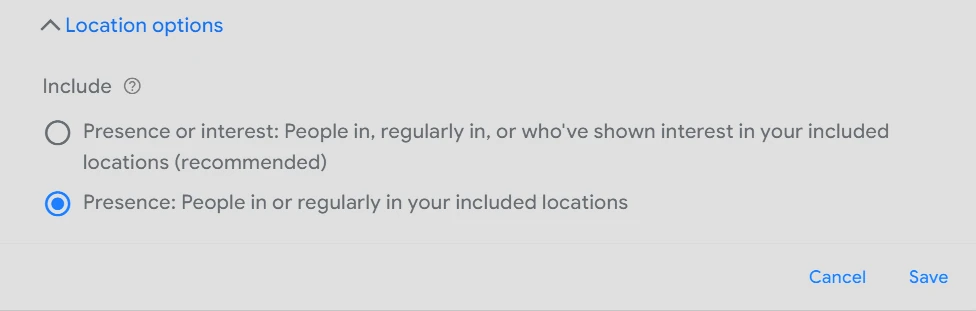
Check the Presence setting
Local spa advertising usually needs people who can actually visit. Presence targets people Google considers likely to be in or regularly in your chosen locations. It is not a guarantee of their exact position at the time of the click.
- Log into your Google Ads account and select your Spa Campaign.
- Open the selected campaign’s Settings. Menu placement can vary by campaign and interface.
- Scroll down to the Locations section and click to expand it.
- Click on Location options to open the advanced dropdown.
- Change the targeting from the default to: Presence: People in or regularly in your targeted locations.
- Click Save.
Branch radius
Set the radius around the actual branch
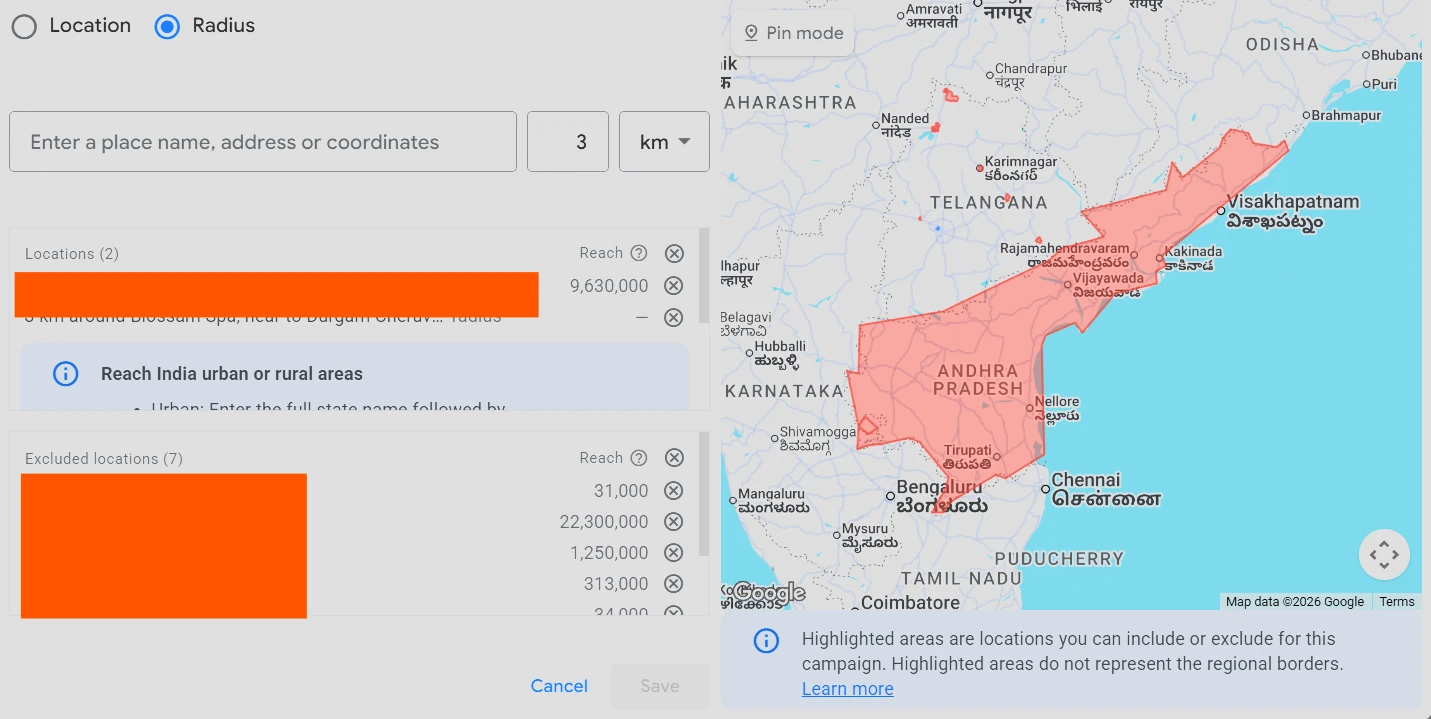
The original image shows the radius field set to 3 km and existing location exclusions. It is an interface reference, not a map of a completed 5 km catchment.
Targeting an entire city can be too broad for a neighbourhood spa. Start around the branch’s actual address and consider traffic, access and the distances your real customers travel.
- In your Campaign Settings, go back to the Locations tab.
- Click Advanced Search.
- Select the Radius icon.
- Enter your exact spa address or drop a pin on your building.
- Start with 3 km or 5 km where appropriate, then review real enquiry locations and access. Remove any unintended wider location targets as well.
Exclusions & search terms
Review exclusions and location search terms
Use location exclusions and negative keywords for different jobs: exclusions control geographic delivery, while negatives filter search wording. Both need to fit the branch’s real catchment.
- Read the available search terms. In Insights and reports, open Search terms and review unwanted destination searches such as “spa in [distant area]”. Some queries are omitted by Google, so combine this with reception feedback.
- Exclude a clearly unwanted destination carefully. Check the locality and the negative keyword match type before adding it. Do not block an entire city name that also appears in relevant nearby searches. Negatives do not automatically cover all close variants.
Other checks
Check the other campaigns and traffic sources
If distant enquiries continue, compare the settings across all active campaigns and check where the traffic comes from. These are useful checks, not proof that one setting explains every enquiry.
- Inconsistent Presence Settings: The "Presence" fix was applied at the Campaign level for one campaign, but another campaign is still using "Interest."
- Search partners: Review network performance and enquiry quality separately. Use the evidence to decide whether that traffic is useful for this campaign.
- Keyword matching: Review available search terms, match types and conversion quality. Broad match is not automatically wrong, but irrelevant queries need attention.
If you are not sure whether your account has these problems, it may be worth getting a professional spa ads audit. We check all of these settings as part of our free review.
Verify the change
Review the first 48 hours, then keep checking
Make a note of the date and the settings changed. After 48 hours, do an initial review. Allow more time if click and enquiry volumes are low, and compare similar days before drawing a conclusion.
- 1. Search terms: Check the available queries after the change for distant destinations or unrelated intent. Compare with the period before the change.
- 2. Location reporting: Check the campaign’s location reports and what each view measures. Google uses location signals and cannot guarantee that every reported location is an exact physical position.
Campaign support
What we check in a spa campaign review
Most spa owners do not have time to monitor search terms and campaign settings every day. A useful campaign review should connect those settings to what reception is hearing.
Our spa marketing service reviews local targeting, search intent, mobile contact paths and booking feedback. You should be able to see what changed and whether the enquiries became more relevant.
Experience behind the checks
We are a verified Google Partner agency, and I do not send confusing reports. I focus on high-intent lead generation that drives direct calls, WhatsApp enquiries, and real walk-ins. The original March 2026 guide reported over ₹2.5 crore in annual ad spend for Indian spas , from Hyderabad and Bangalore to Mumbai, Delhi, Pune, and Chennai.
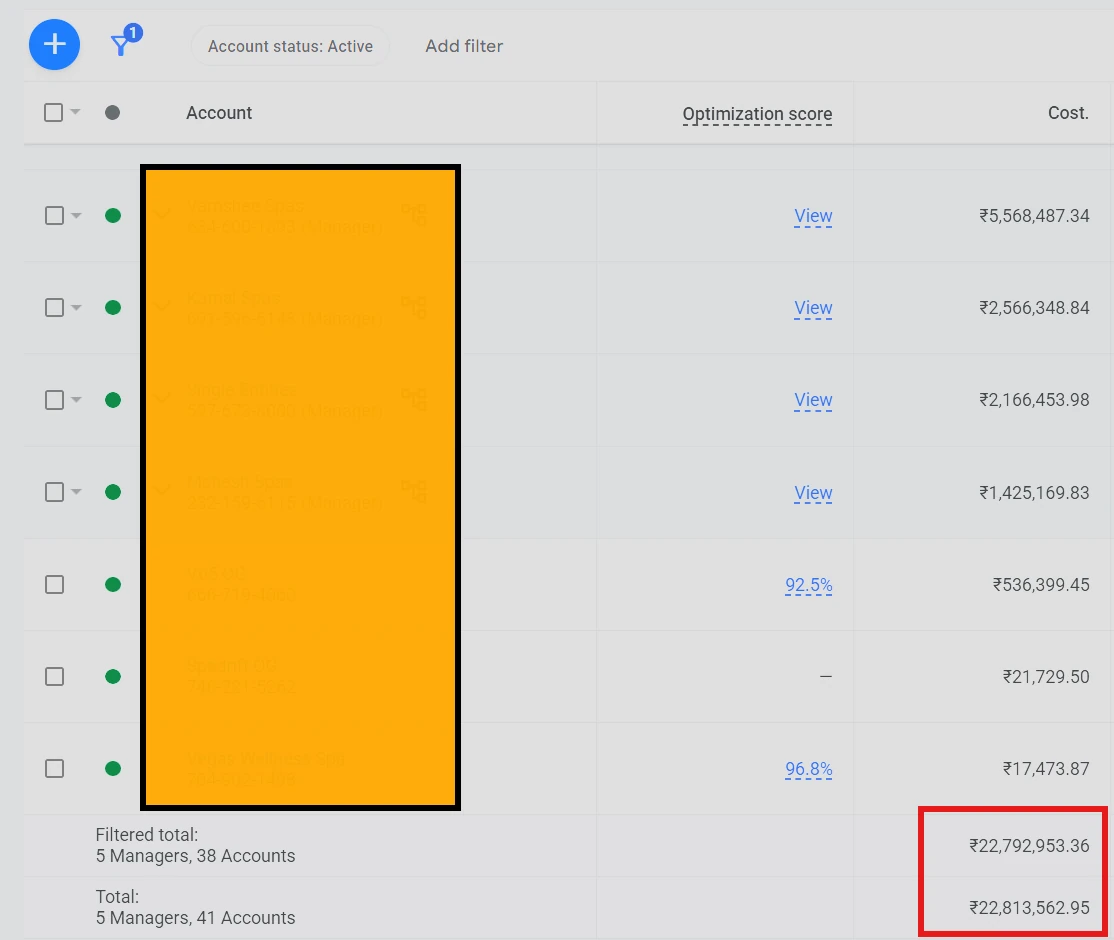
Screenshot from my agency manager account showing verified ad spend for spa clients across India.
Because I manage ads for over 50+ active spa clients across major Indian cities, I already have the master negative keyword lists built for your city. We adapt the starting lists to the actual branch and review the enquiries. Ad spend does not guarantee a booking.
BEFORE YOU START
Questions from
spa owners.
What is the difference between Presence and Interest in Google Ads?
Presence or Interest can include people interested in your target area who are elsewhere. Presence focuses on people likely to be in or regularly in that area. Neither is an exact GPS boundary.
How do I block specific neighborhoods in Google Ads?
Use geographic exclusions where the area is available to target or exclude. Use negative keywords separately for clearly unwanted destination searches, checking match types and overlap with your own catchment first.
Do I need an expensive agency for digital marketing for spas?
Cost depends on scope. Look for a spa marketing agency that can explain local targeting, search-term reviews, enquiry tracking and how your reception feedback changes the work.
Can these Google Ads fixes work for spas outside Hyderabad?
The same checks can be useful in Hyderabad, Bangalore, Mumbai, Delhi, Pune, Chennai and other cities. The right radius, exclusions and keyword list depend on each branch’s actual location and customers.

ABOUT THE AUTHOR
Akshar
Founder of Ads By Akshar, a Hyderabad-based Google Partner agency working with spa businesses across India.
Our agency story ↗